Bolt AI Builder Page Design

Uncover the creative design of the Bolt AI Builder landing page. This page highlights key visual elements and layout strategies, showcasing screenshots for mobile and desktop. For an in-depth review, check out our detailed case study.
Bolt Newbolt-ai-builder
Bolt AI Builder
About this screenshot
This screenshot of the Bolt AI Builder landing page was taken on Jun 04, 2026, providing a snapshot of its layout.
A full-screen capture alone may not illustrate the complex design of these pages. For an in-depth view, visit the official page or explore our case study, highlighting 'above the fold' content first encountered by users.
Bolt New Page Title: Bolt AI builder: Websites, apps & prototypes

Bolt New Page Description: Build and scale high-performing websites & apps using your words. Join millions and start building today.
Screen 1 (above the fold):
Bolt AI Builder
Screen 2:
Landing Page Mobile Screen 2
Screen 3:
Landing Page Mobile Screen 3
Screen 4:
Landing Page Mobile Screen 4
Screen 5:
Landing Page Mobile Screen 5
Screen 6:
Landing Page Mobile Screen 6
About these screenshots
These images of the Bolt AI Builder landing page were taken on Jun 04, 2026, providing a snapshot of its layout.
The first screenshot captured here showcases the 'above the fold' content, displaying what a user would see upon arrival at the page without scrolling. Subsequent screenshots show the immediate next sections, providing a static overview of the page as it appeared at the time of our analysis. Together, they highlight the key design elements and layout that shape the user's initial interaction. A full-screen display was neither necessary nor feasible due to the intricate and dynamic design features of this landing page.
Bolt New Page Title: Bolt AI builder: Websites, apps & prototypes

Bolt New Page Description: Build and scale high-performing websites & apps using your words. Join millions and start building today.
Bolt AI Builder
About this screenshot
This screenshot of the Bolt AI Builder landing page was taken on Jun 04, 2026, providing a snapshot of its layout.
A full-screen capture alone may not illustrate the complex design of these pages. For an in-depth view, visit the official page or explore our case study, highlighting 'above the fold' content first encountered by users.
Bolt New Page Title: Bolt AI builder: Websites, apps & prototypes

Bolt New Page Description: Build and scale high-performing websites & apps using your words. Join millions and start building today.
Screen 1 (above the fold):
Bolt AI Builder Landing Page
Screen 2:
Landing Page Screen 2
Screen 3:
Landing Page Screen 3
Screen 4:
Landing Page Screen 4
About these screenshots
These images of the Bolt AI Builder landing page were taken on Jun 04, 2026, providing a snapshot of its layout.
The first screenshot captured here showcases the 'above the fold' content, displaying what a user would see upon arrival at the page without scrolling. Subsequent screenshots show the immediate next sections, providing a static overview of the page as it appeared at the time of our analysis. Together, they highlight the key design elements and layout that shape the user's initial interaction. A full-screen display was neither necessary nor feasible due to the intricate and dynamic design features of this landing page.
Bolt New Page Title: Bolt AI builder: Websites, apps & prototypes

Bolt New Page Description: Build and scale high-performing websites & apps using your words. Join millions and start building today.
Design Review

A Designer’s View on Bolt New Design

A Dark Canvas for Building

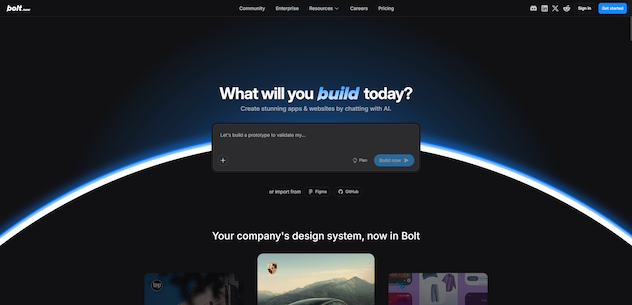
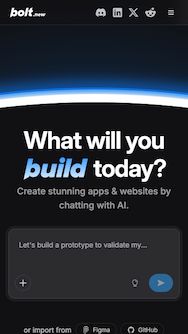
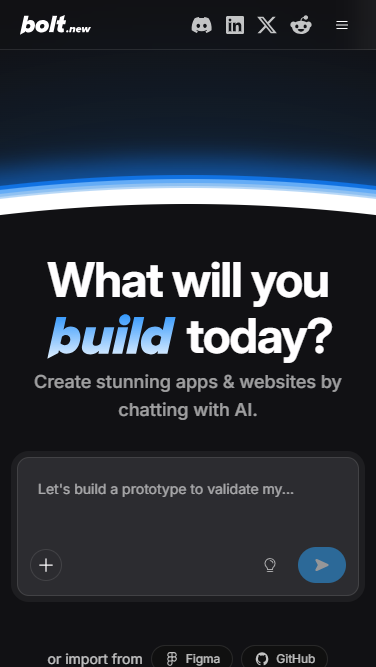
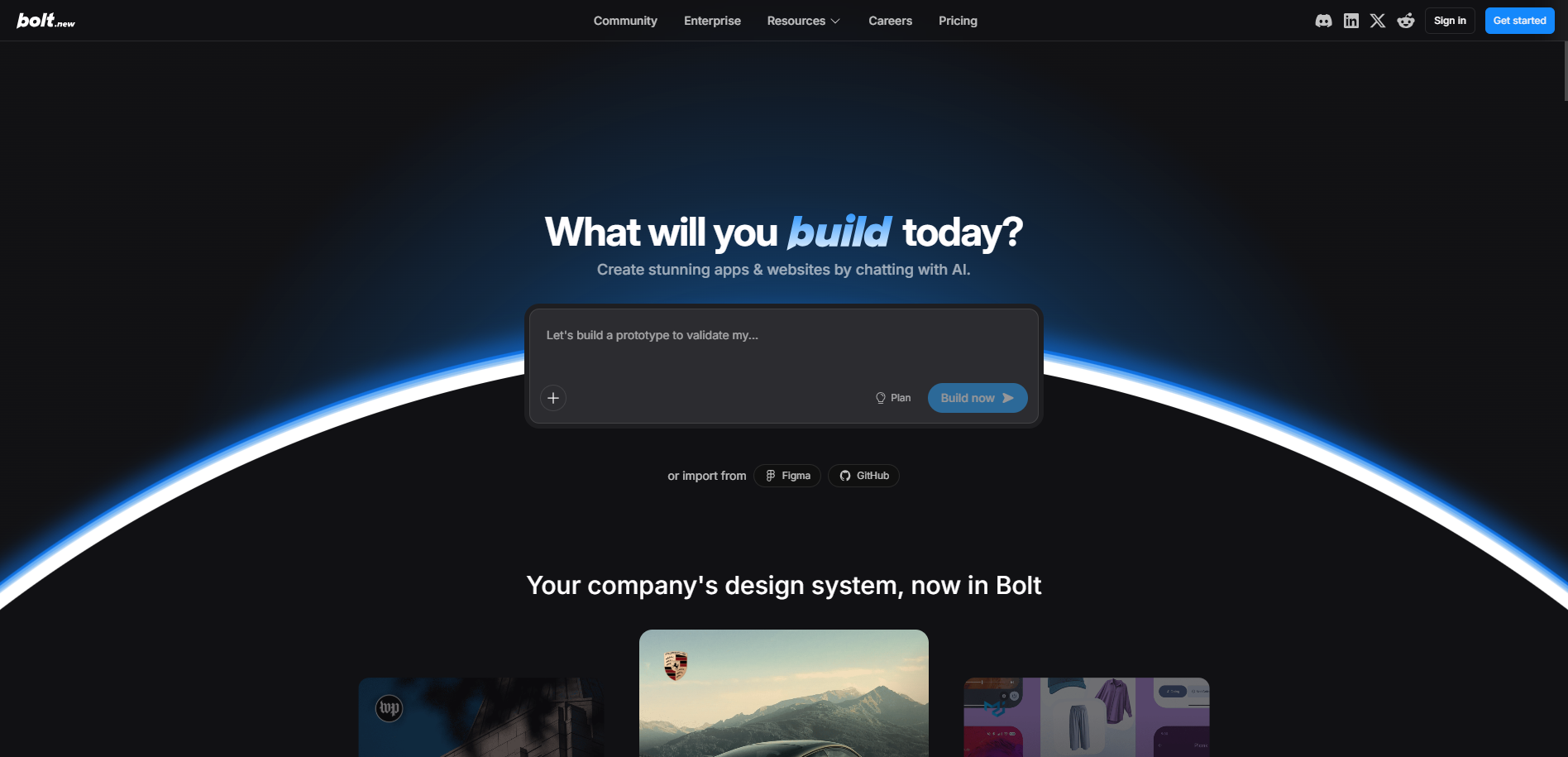
The above-the-fold design of the Bolt page is dark and atmospheric, set on a near-black backdrop crossed by a luminous blue arc that frames the composition and signals energy. A centered headline, "What will you build today?" — with "build" styled in blue italic — sits above a concise subhead, "Create stunning apps & websites by chatting with AI." The focal point is an interactive prompt input ("Let's build a prototype to validate my…") with a blue "Build now" button and "import from Figma / GitHub" options. The minimalist dark navigation and blue "Get started" Call-to-Action reinforce a premium, builder-oriented tone.

The key messaging is invitation-led and creative: an open-ended question prompts visitors to begin a project by chatting with AI, while the import paths reduce friction for existing work. The emotions conveyed are focus, momentum, and technical confidence, with the glowing dark aesthetic positioning the tool as both capable and modern.

Trusted Tools for Production-Ready Work

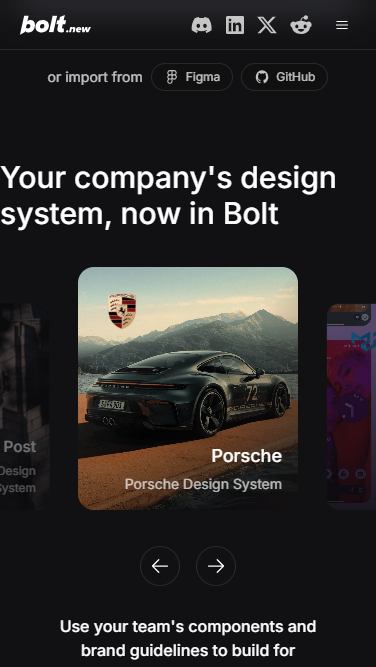
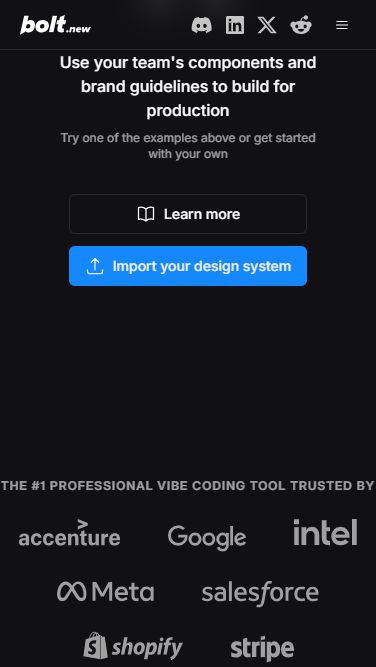
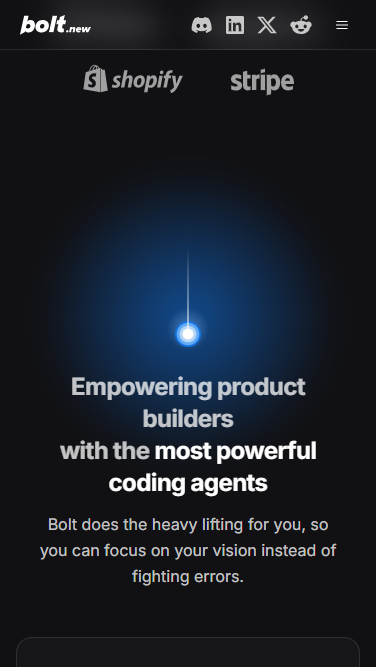
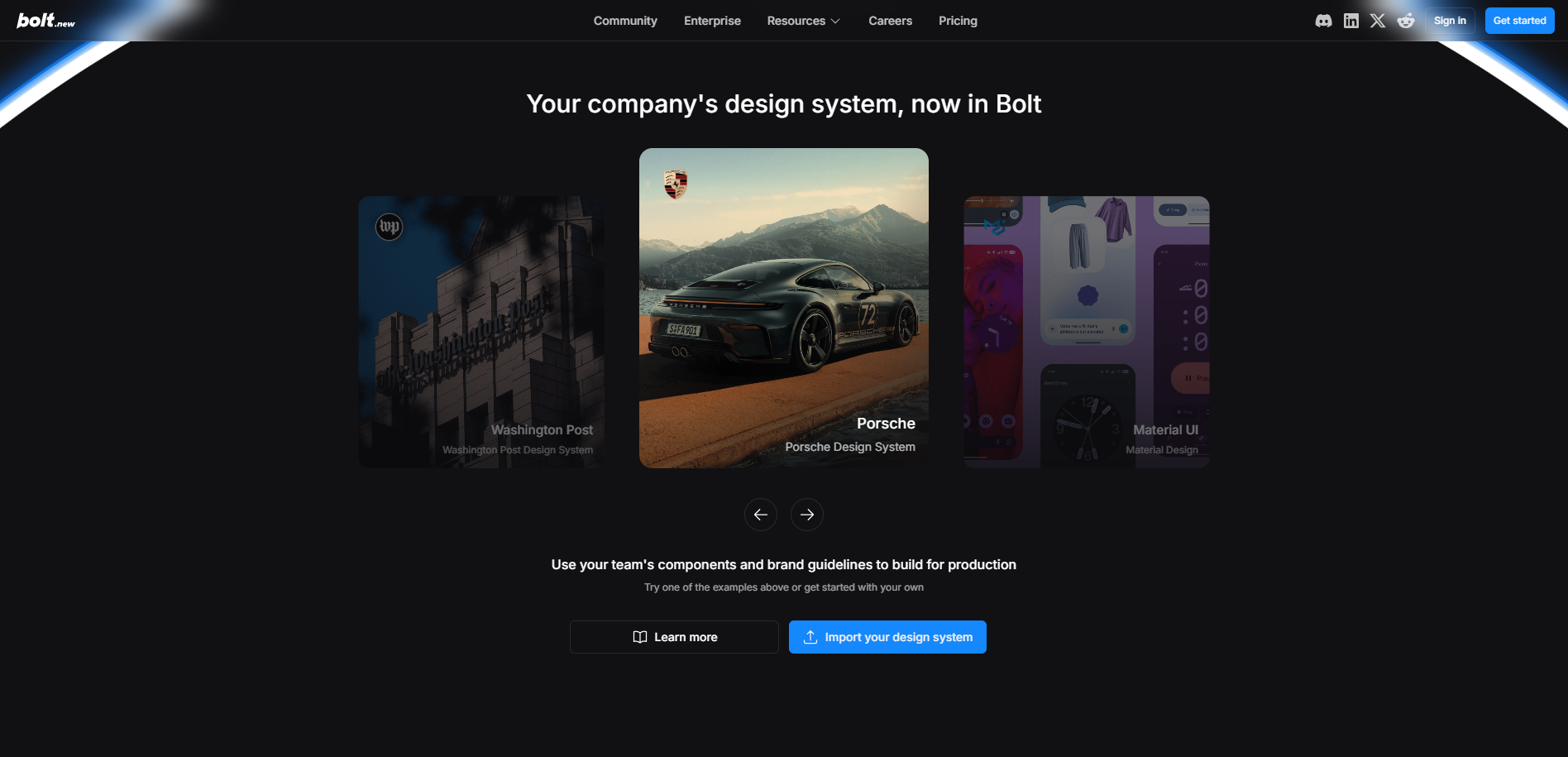
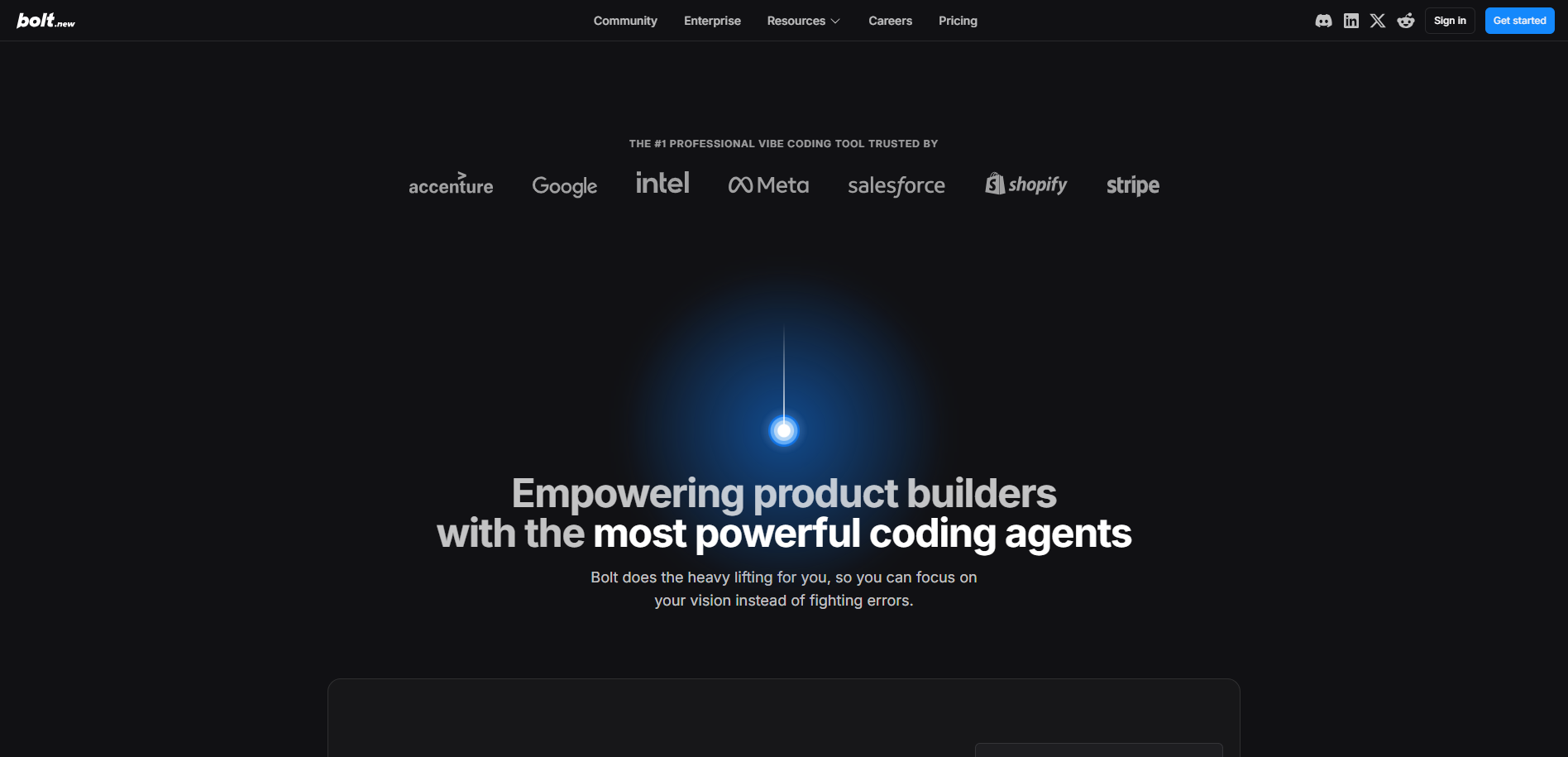
Below the fold, the dark theme continues into a more substantive, proof-driven layout. A "Your company's design system, now in Bolt" carousel presents real design-system examples (Washington Post, Porsche, Material UI) with navigation arrows and dual actions — "Learn more" and a blue "Import your design system." Further down, a "#1 professional vibe coding tool trusted by" logo row (Accenture, Google, Intel, Meta, Salesforce, Shopify, Stripe) supplies enterprise social proof, leading into the statement "Empowering product builders with the most powerful coding agents" and a line noting that Bolt "does the heavy lifting" so users can focus on their vision. The key messaging blends production-readiness, brand consistency, and credibility, while the emotions conveyed move from creative invitation toward trust and capability, positioning the tool as serious enough for professional teams.

Stay Tuned

Stay informed and ignite your creativity with innovative design ideas while gaining practical insights from our UX expertise.